
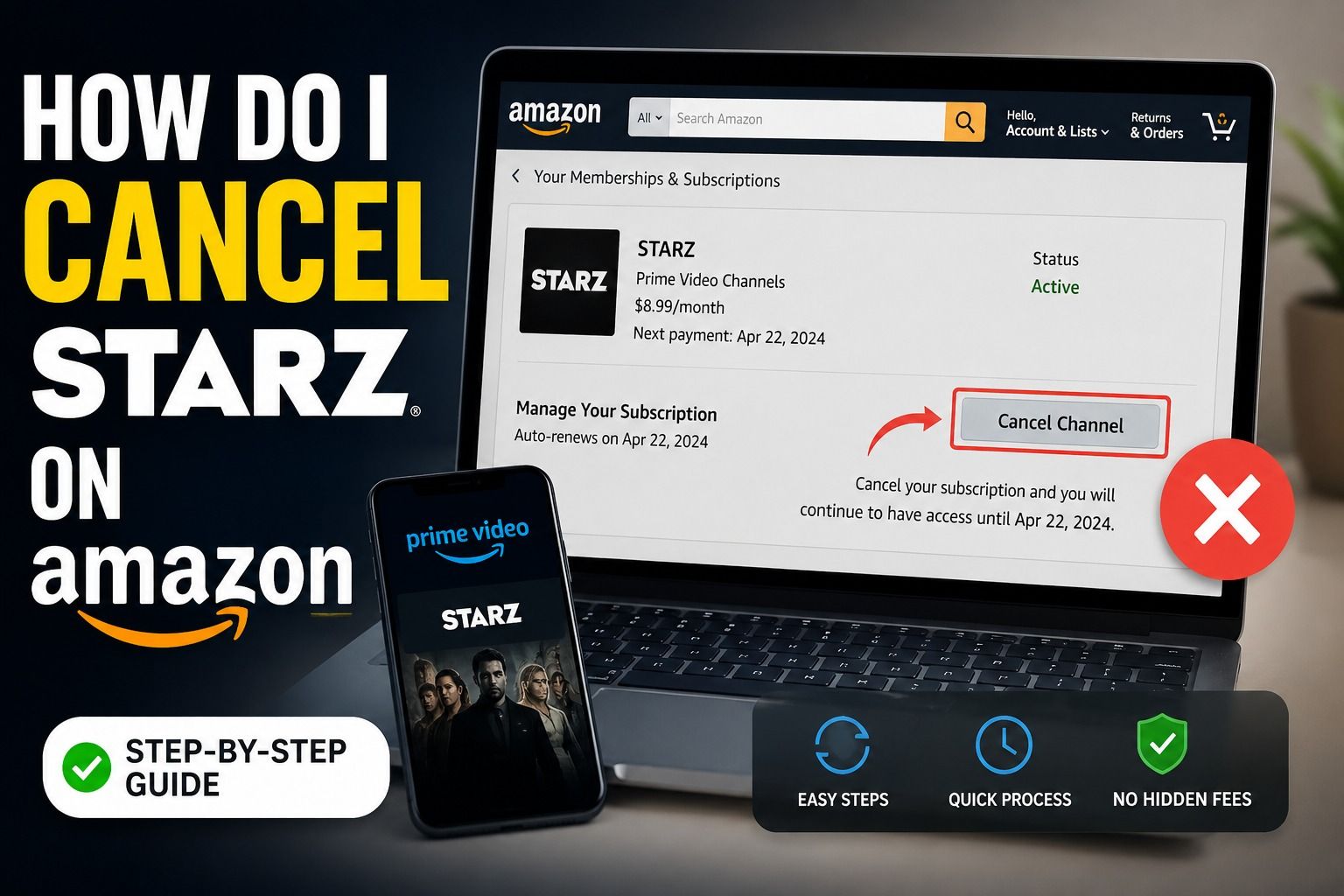
If you subscribed to STARZ through Amazon Prime Video, you might want to cancel it to stop monthly charges or switch to another streaming service. The good news is that canceling STARZ on Amazon is simple once you know where to look.
In this guide, we’ll walk you through how to cancel STARZ on Amazon step by step, using simple language that anyone in the USA can follow.
What Is STARZ on Amazon?
STARZ is a premium streaming channel that offers movies, TV shows, and original series. On Amazon Prime Video, STARZ is considered a “Prime Video Channel”, meaning:
-
It is not a separate STARZ app subscription
-
You are billed through your Amazon account
-
You can manage it directly in Amazon settings
So, to cancel it, you must go through Amazon—not the STARZ website.
How to Cancel STARZ on Amazon (Step-by-Step)
Here is the easiest way to cancel STARZ from your Amazon account:
Step 1: Sign in to Amazon
Go to Amazon.com and log in using your account details.
Step 2: Go to “Accounts & Lists”
On the top right corner, click “Accounts & Lists”.
Step 3: Open “Memberships & Subscriptions”
Scroll down and find: “Memberships & Subscriptions” or “Prime Video Channels.”
Step 4: Find STARZ
Look for STARZ in your active subscriptions list.
Step 5: Click “Cancel Channel”
Select STARZ and click:
-
“Cancel Channel”
-
Then confirm cancellation
Step 6: Confirm Cancellation
Amazon may ask you to confirm again. Once done, your subscription will be canceled.
What Happens After You Cancel STARZ?
Many users wonder what happens after cancellation. Here’s what you should know:
-
You can still watch STARZ until your billing period ends
-
No new charges will be applied after cancellation
-
Your access stops when the paid period expires
-
You can re-subscribe anytime
How to Check If STARZ Is Really Canceled
After canceling, you can double-check:
-
Go to Accounts & Lists
-
Open Memberships & Subscriptions
-
Make sure STARZ is not listed as active
If it still appears active, the cancellation may not have been completed.
Cancel STARZ on Amazon App (Mobile)
If you are using a phone:
On iPhone or Android:
-
Open Amazon app
-
Tap menu (☰)
-
Go to Account Settings
-
Tap Memberships & Subscriptions
-
Find STARZ
-
Tap Cancel Subscription
Important Things to Know Before Canceling
-
You are not eligible for a refund for unused days (in most cases)
-
Cancellation only stops future billing
-
If you subscribed via another platform (like Apple or Roku), Amazon cannot cancel it
-
STARZ may offer discounts if you try to cancel
Common Issues When Canceling STARZ
1. Can’t find STARZ subscription
You might be logged into the wrong Amazon account.
2. No cancel option showing
This usually means STARZ is already canceled or subscribed elsewhere.
3. Still getting charged
Check if you have multiple Amazon accounts.
4. Subscription keeps coming back
You may have re-subscribed accidentally through Prime Video.
Tips to Avoid Unwanted Charges
-
Always check subscriptions every month
-
Turn off auto-renew before billing date
-
Keep email receipts from Amazon
-
Use one Amazon account only
Why People Cancel STARZ on Amazon
Many users in the USA cancel STARZ because:
-
They finished watching shows
-
They want to reduce monthly expenses
-
They switched to Netflix, Hulu, or Disney+
-
They are cleaning up unused subscriptions
FAQ – Cancel STARZ on Amazon
1. How do I cancel STARZ on Amazon Prime Video?
Go to Memberships & Subscriptions, find STARZ, and click Cancel Channel.
2. Will I still have access after canceling STARZ?
Yes, until your current billing period ends.
3. Can I get a refund after canceling STARZ?
Usually no, Amazon does not refund partial months.
4. Why can’t I find STARZ in my Amazon account?
You may be using a different Amazon account or subscribed elsewhere.
5. Can I cancel STARZ from the Amazon app?
Yes, you can cancel it directly from the mobile app settings.
6. What happens if I cancel STARZ early?
You still get access until the subscription period ends.
7. Can I resubscribe to STARZ later?
Yes, you can subscribe again anytime through Prime Video Channels.
8. Does canceling STARZ cancel Amazon Prime?
No, it only cancels the STARZ channel, not Prime membership.
9. Why am I still being charged after canceling?
Check if cancellation was completed or if another account is active.
10. Is STARZ the same as STARZ on Amazon?
No, STARZ on Amazon is a channel subscription managed by Amazon.
Read Also this Blog: A Step-by-Step Guide to Canceling Your STARZ Subscription on Smart TV