
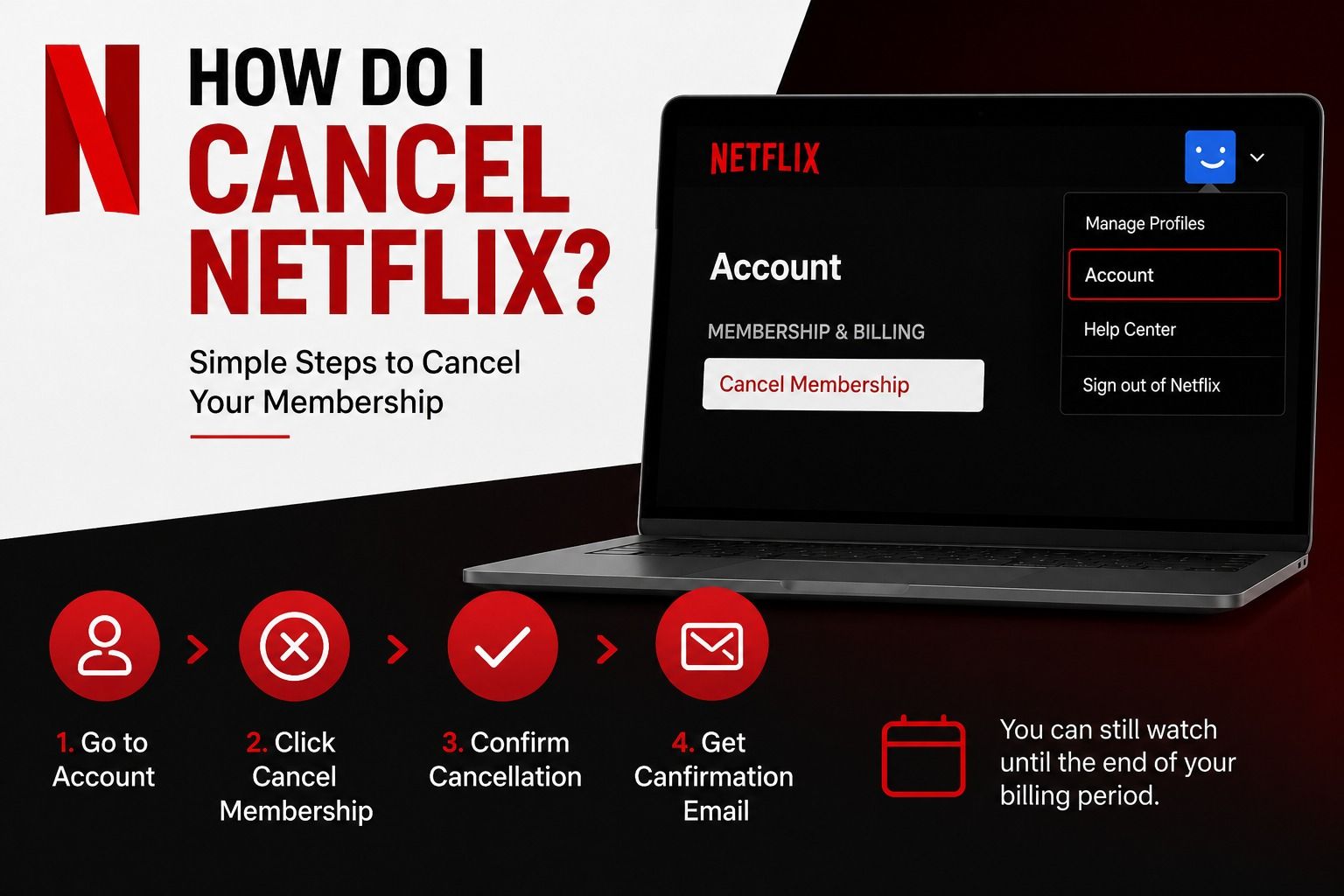
Netflix is one of the most popular streaming platforms in the United States, but sometimes people want to cancel it. Maybe you are cutting expenses, switching to another service, or just taking a break from streaming.
The good news is that canceling Netflix is very easy, and you won’t lose access immediately after canceling.
This guide explains how to cancel Netflix step by step in simple language.
What Happens When You Cancel Netflix?
Before you cancel, here’s what you should know:
-
You can still watch Netflix until your billing period ends
-
You will not be charged again after cancellation
-
Your watch history and profile are saved for 10 months
-
You can restart your account anytime
So you don’t lose everything right away.
How to Cancel Netflix on a Computer
If you are using a laptop or desktop, follow these steps:
Step 1: Go to Netflix Website
Open your browser and go to www.netflix.com and log in.
Step 2: Open Account Settings
Click your profile icon in the top right corner and select “Account.”
Step 3: Find Membership Section
Look for “Membership & Billing.”
Step 4: Click Cancel Membership
Click the button that says “Cancel Membership.”
Step 5: Confirm Cancellation
Netflix will ask you to confirm. Click Finish Cancellation.
Done! Your subscription is now canceled.
How to Cancel Netflix on Mobile (iPhone or Android)
If you are using the Netflix app:
Step 1: Open Netflix App
Step 2: Tap your profile icon
Step 3: Go to “Account” (it may open browser)
Step 4: Select “Cancel Membership”
Step 5: Confirm cancellation
If you subscribed through Apple or Google Play, you may need to cancel through those stores instead.
How to Cancel Netflix on iPhone (Apple Billing)
If Netflix is billed through Apple:
-
Go to Settings on iPhone
-
Tap your Apple ID
-
Go to Subscriptions
-
Find Netflix
-
Tap Cancel Subscription
How to Cancel Netflix on Android (Google Play)
If you subscribed using Google Play:
-
Open Google Play Store
-
Tap profile icon
-
Go to Payments & Subscriptions
-
Select Subscriptions
-
Choose Netflix
-
Tap Cancel
Why People Cancel Netflix
Many users in the USA cancel Netflix for simple reasons:
-
Saving money on monthly bills
-
Switching to Disney+, Hulu, or Amazon Prime
-
Not watching enough content
-
Taking a break from streaming
Netflix is flexible, so you can leave and return anytime.
Common Problems When Canceling Netflix
1. Can’t find cancel button
You might be logged into the wrong account.
2. No cancel option in app
You may have subscribed through Apple or Google.
3. Still getting charged
Check if another account is active with the same email.
4. Forgot login details
Use Netflix “Forgot Password” option to recover access.
Tips Before You Cancel Netflix
-
Check your billing date first
-
Finish watching downloaded content
-
Share account with family if allowed
-
Download your viewing history if needed
Is Canceling Netflix Permanent?
No. Canceling Netflix is not permanent.
You can:
-
Restart anytime
-
Keep your profiles for up to 10 months
-
Restore watch history
So it’s flexible and user-friendly.
Read Also This Blog: Is Netflix Down? | Netflix Service Status (Complete Guide 2026)
FAQ – How to Cancel Netflix
1. How do I cancel Netflix subscription?
Go to Account settings and click “Cancel Membership.”
2. Will I lose access immediately after canceling Netflix?
No, you can use Netflix until your billing period ends.
3. Can I cancel Netflix anytime?
Yes, there are no long-term contracts.
4. Why can’t I see cancel option on Netflix?
You may have subscribed through Apple, Google, or another provider.
5. Can I get a refund after canceling Netflix?
Usually no, Netflix does not offer refunds for partial months.
6. How do I cancel Netflix on my phone?
Go to account settings or cancel through Apple/Google subscriptions.
7. Does Netflix delete my profile after canceling?
No, your profile stays for about 10 months.
8. Can I restart Netflix after canceling?
Yes, you can resubscribe anytime.
9. Will canceling Netflix stop billing immediately?
It stops future billing after your current cycle ends.
10. Is it easy to cancel Netflix?
Yes, it takes just a few clicks.